Proxying the proxy: extending BurpSuite with mitmproxy
Some apps bury every request under machinery Burp was never built to unwind. The fix isn't a better Burp — it's a little mitmproxy on either side.
Burp is where I think about a request: tamper it, replay it, fuzz it. But some apps wrap every request in machinery Burp was never built to unwind. You can bend it around a few of these cases with macros and extensions, but past a certain point it’s surgery in oven mitts.
The move in every case here is the same. Put mitmproxy in front of or behind Burp and let it do the mechanical work so that inside Burp you’re always staring at clean, tamperable traffic.
Surviving a 30s access token
The token that dies while you think
The app’s JWT access token expires 30 seconds after it’s issued. Fine for the app, which refreshes silently in the background but it will be miserable in Repeater. You craft a request, start reading the response, tweak a parameter, resend → 401 Unauthorized. The token died mid-thought. Re-login, copy, paste, race the clock, repeat.
The obvious fix is a Burp macro that calls the refresh endpoint before each request. Except this app’s refresh endpoint doesn’t just take the refresh token. It wants the current access token and the refresh token together:
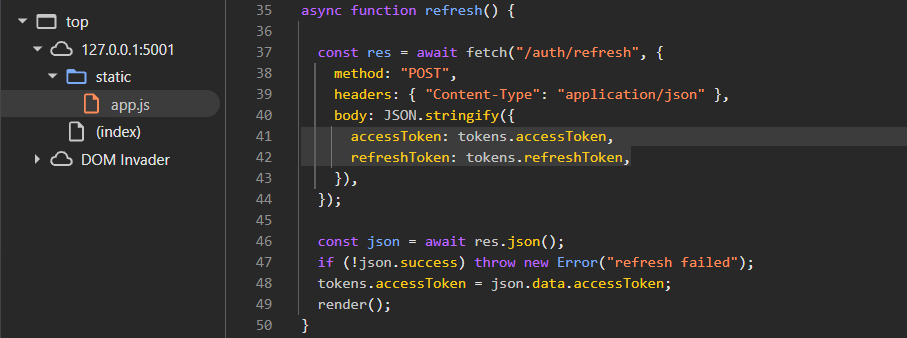
//static/app.js
body: JSON.stringify({
    accessToken: tokens.accessToken,
    refreshToken: tokens.refreshToken,
}),
Read out the current access token, pair it with the refresh token, POST both, then read the new token back and carry it into the next request. That’s a small state machine, and the macro model hates state. So we hand the whole loop to mitmproxy.
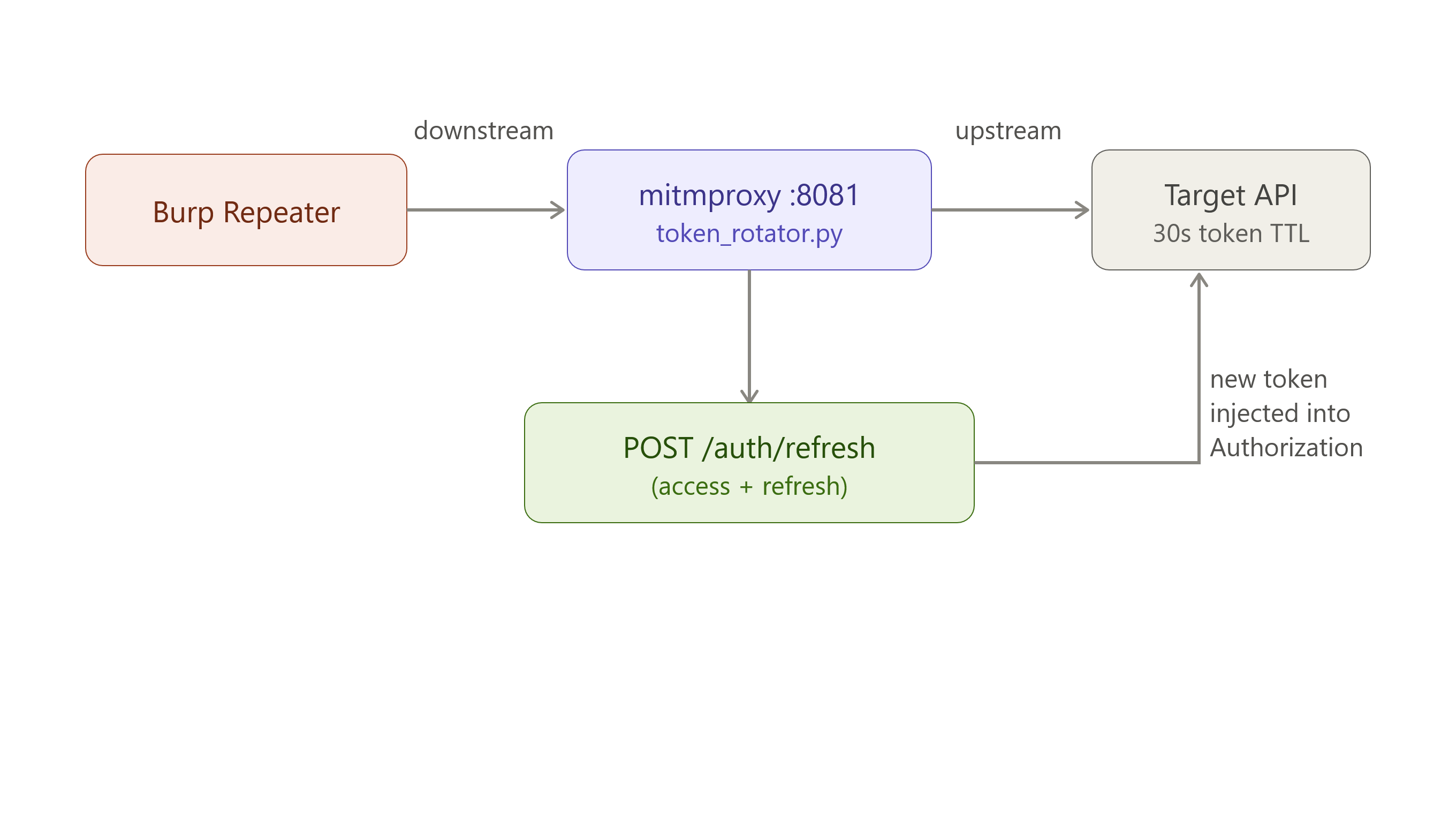
Every request you fire from Burp passes through it, and it guarantees a live token before the request ever leaves your machine. The diagram above traces one request: Repeater → rotator → target.
token_rotator.py intercepts each outbound request, refreshes the token, and rewrites the Authorization header. Requests to the refresh endpoint itself are skipped so it doesn’t chase its own tail:
def request(flow: http.HTTPFlow) -> None:
    if flow.request.pretty_host != TARGET_HOST:
        return
    if REFRESH_PATH in flow.request.path:
        return

    try:
        _rotate()
    except Exception as exc:
        ctx.log.error(f"[token_rotator] rotate error: {exc}")

    flow.request.headers["Authorization"] = "Bearer " + STATE["accessToken"]
The full script lives here.
Notes:
- Add a new Upstream proxy server from Proxy settings > Network > Connections > Upstream proxy servers
- Destination: *
- Proxy host: 127.0.0.1
- Proxy port: 8081
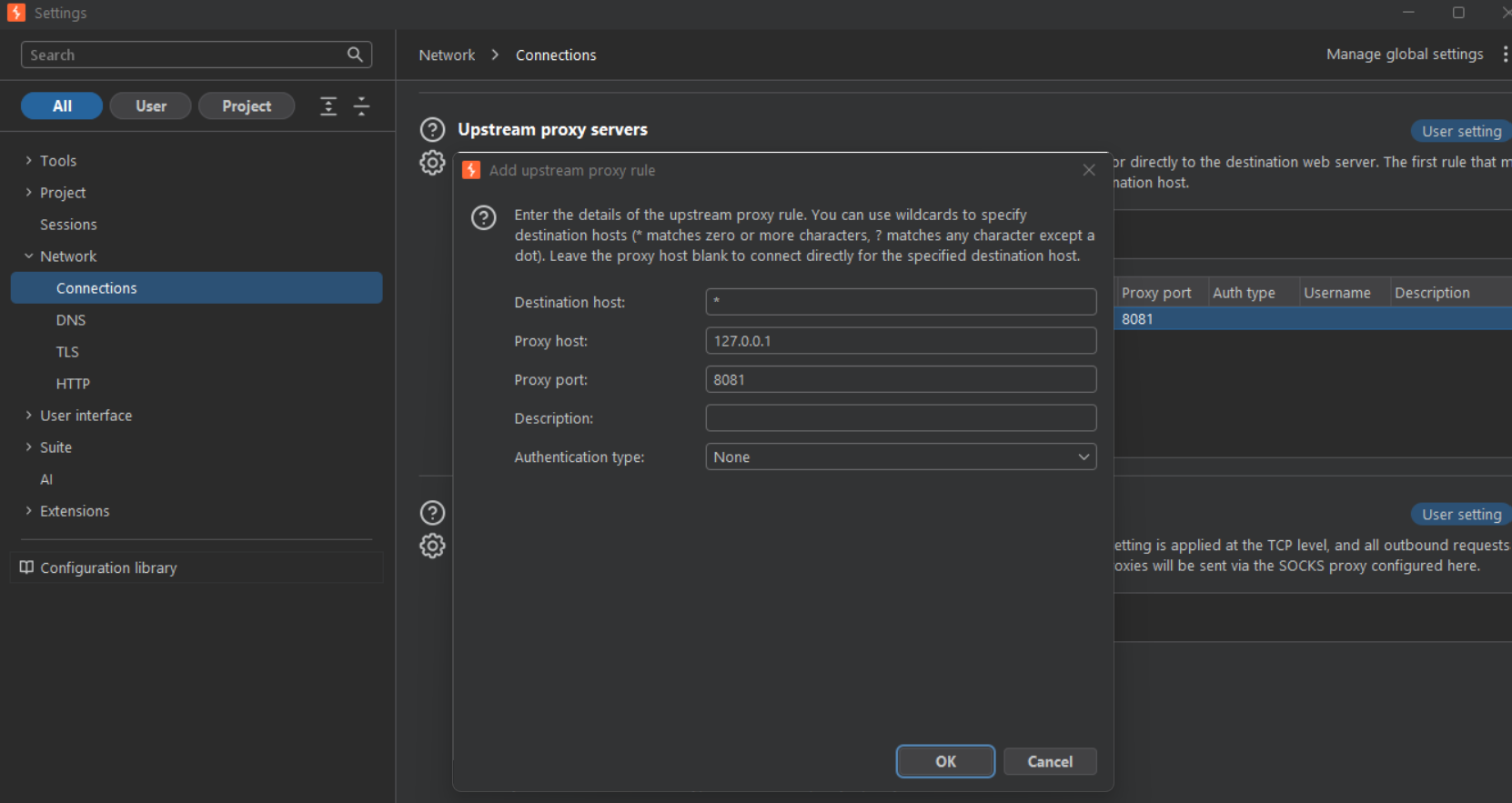
- Log in and paste the two tokens into
STATEat the top of the script, and you’re set. - Start the script:
mitmdump -p 8081 -s token_rotator.py --ssl-insecure
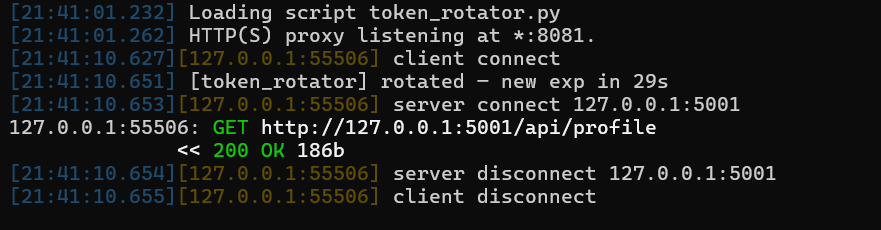
After firing the request:
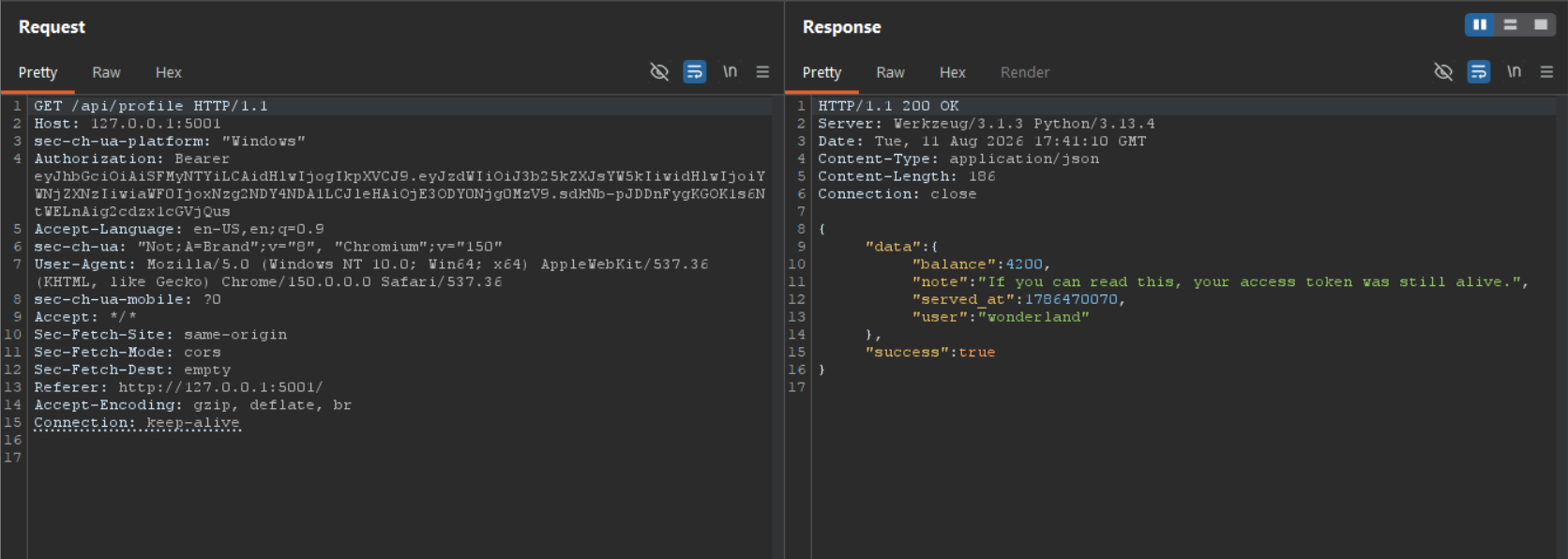
You never touch a token again. Repeater stays usable indefinitely, and your attention stays on the request instead of the clock.
Ciphertext all the way down
This app encrypts both request and response bodies. Request anything through Burp and it shows you this and nothing more:
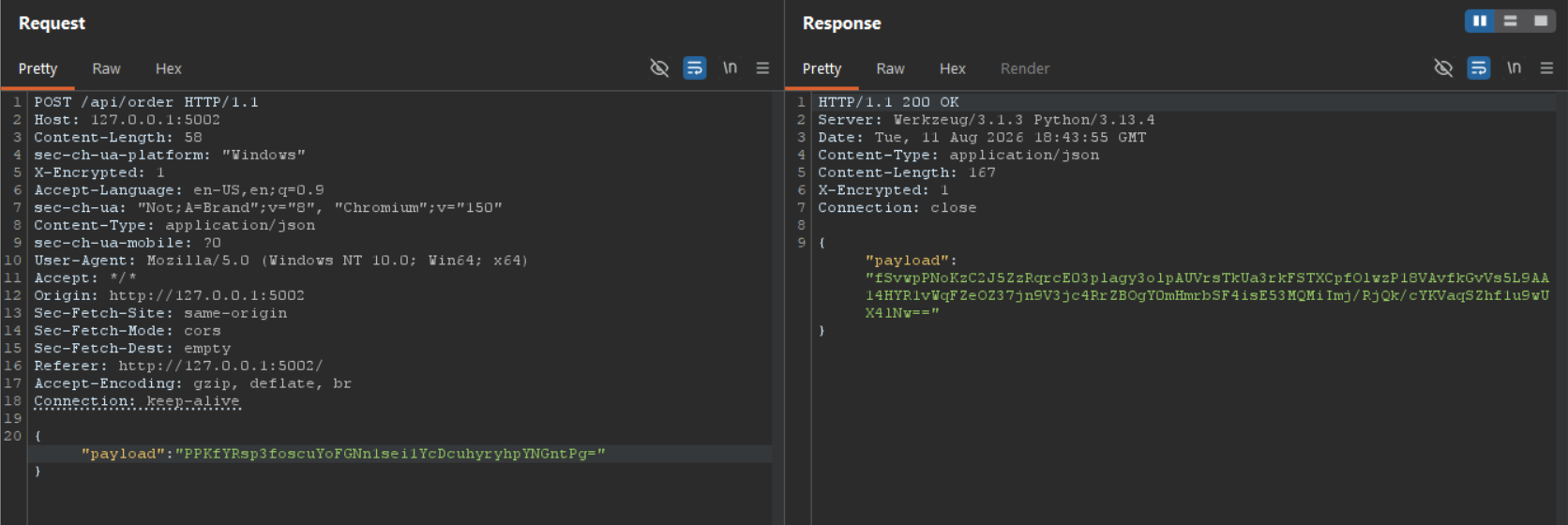
You can’t read it, can’t tamper it. Repeater is dead weight, flip a single byte and the ciphertext falls apart before it ever reaches the server.
My first intuition was that this smelled like security by obscurity: if the client can encrypt and decrypt on its own, the key has to live somewhere in the frontend. So I cracked open the bundle. Sure enough, the “encryption” is AES-CBC with the key and IV sitting in plain sight in the JavaScript:
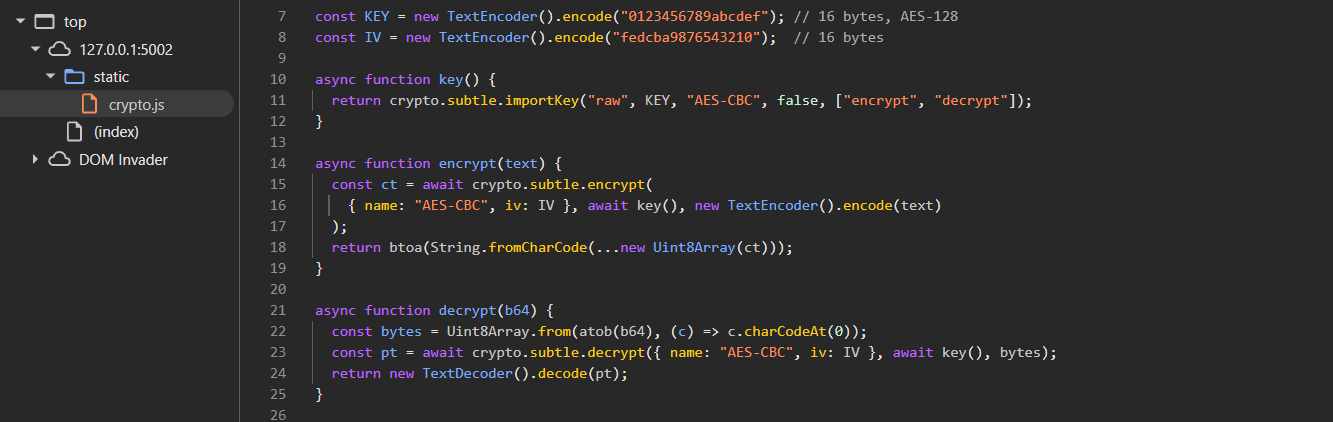
//static/crypto.js
const KEY = new TextEncoder().encode("0123456789abcdef"); // AES-128 key
const IV  = new TextEncoder().encode("fedcba9876543210"); // IV
Once you have the key, the encryption stops being a wall and becomes a formality.
The Burp sandwich
One proxy won’t cut it here. Burp needs to see plaintext in both directions while the browser and the server keep exchanging valid ciphertext. So instead of chaining one mitmproxy to Burp, we chain two!
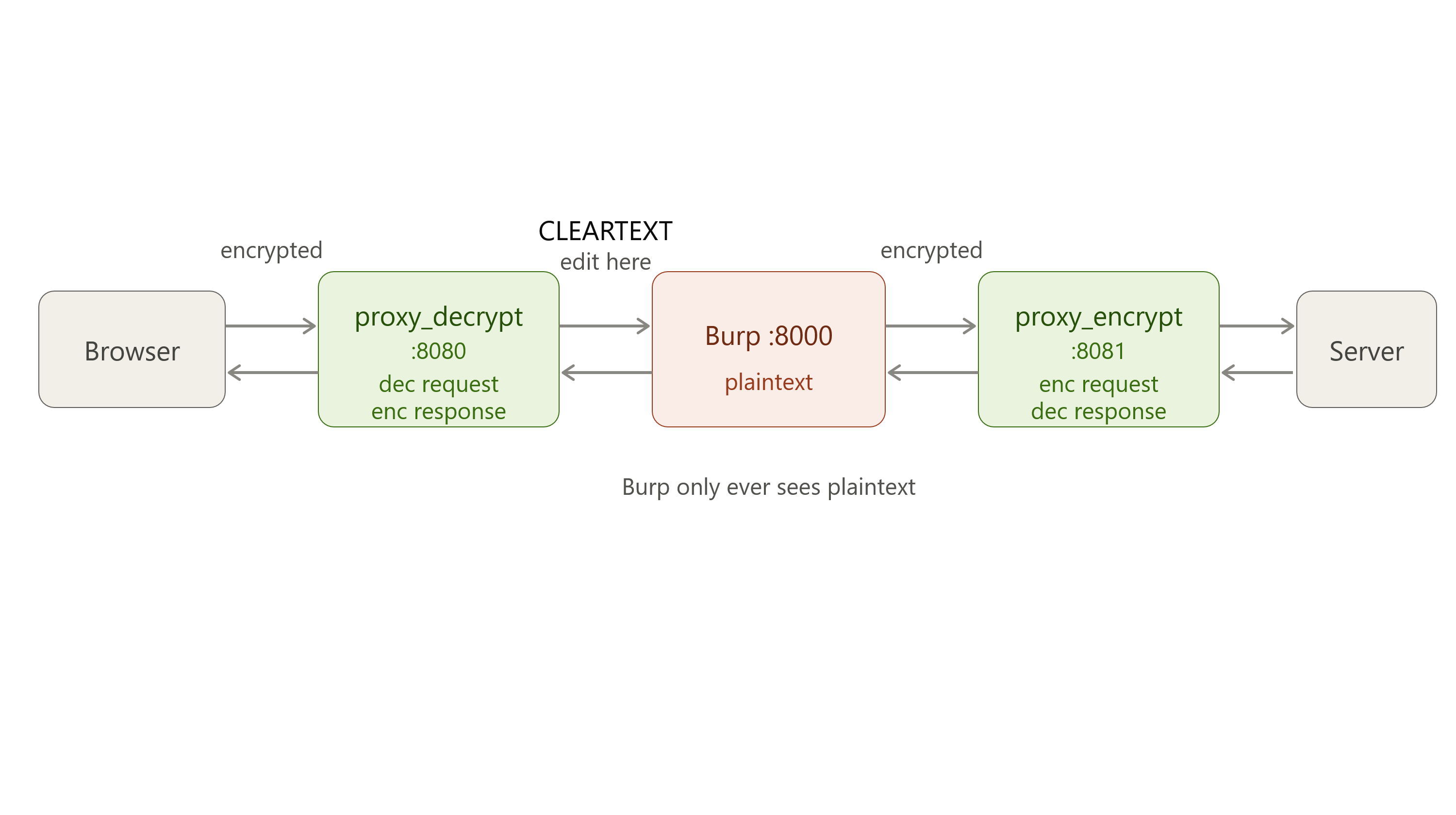
The browser-side instance decrypts inbound and re-encrypts outbound; the server-side instance does the mirror. Burp sits in the middle and only ever touches cleartext, as the diagram above shows.
proxy_decrypt.py (8080) sits nearest the browser. It decrypts the request so Burp sees JSON, and re-encrypts the response on the way back so the app can still read it:
def request(flow: http.HTTPFlow) -> None:
    if flow.request.headers.get("X-Encrypted") != "1":
        return
    payload = json.loads(flow.request.get_text())["payload"]
    flow.request.set_text(decrypt(payload))
proxy_encrypt.py (8081) sits nearest the server. It re-encrypts the request so the server accepts it, and decrypts the response so Burp gets JSON on the return trip.
Both scripts in full: proxy_decrypt.py and proxy_encrypt.py.
Wiring up Burp
- Move Burp’s proxy listener from
8080to8000(Settings → Tools → Proxy → Proxy listeners). - Add a new Upstream proxy server from Proxy settings > Network > Connections > Upstream proxy servers
- Destination: *
- Proxy host: 127.0.0.1
- Proxy port: 8081
- Set the browser’s HTTP proxy to
127.0.0.1:8080 - (Terminal 1)
mitmdump -p 8080 --mode upstream:http://127.0.0.1:8000 -s proxy_decrypt.py --ssl-insecure
- (Terminal 2)
mitmdump -p 8081 -s proxy_encrypt.py --ssl-insecure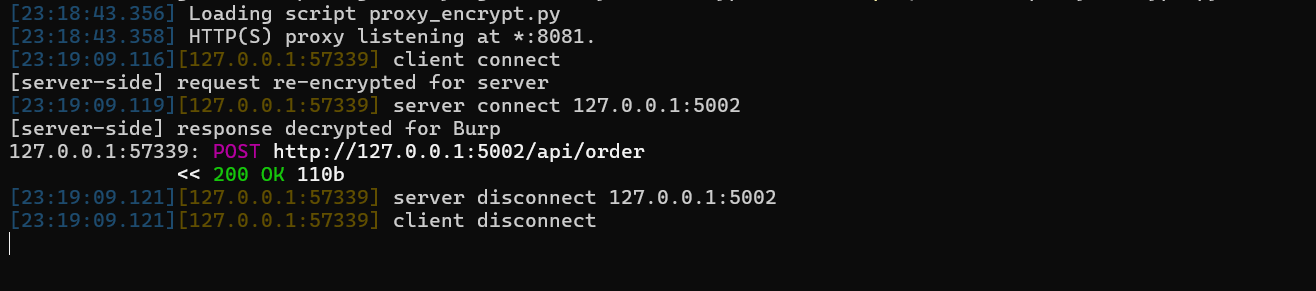
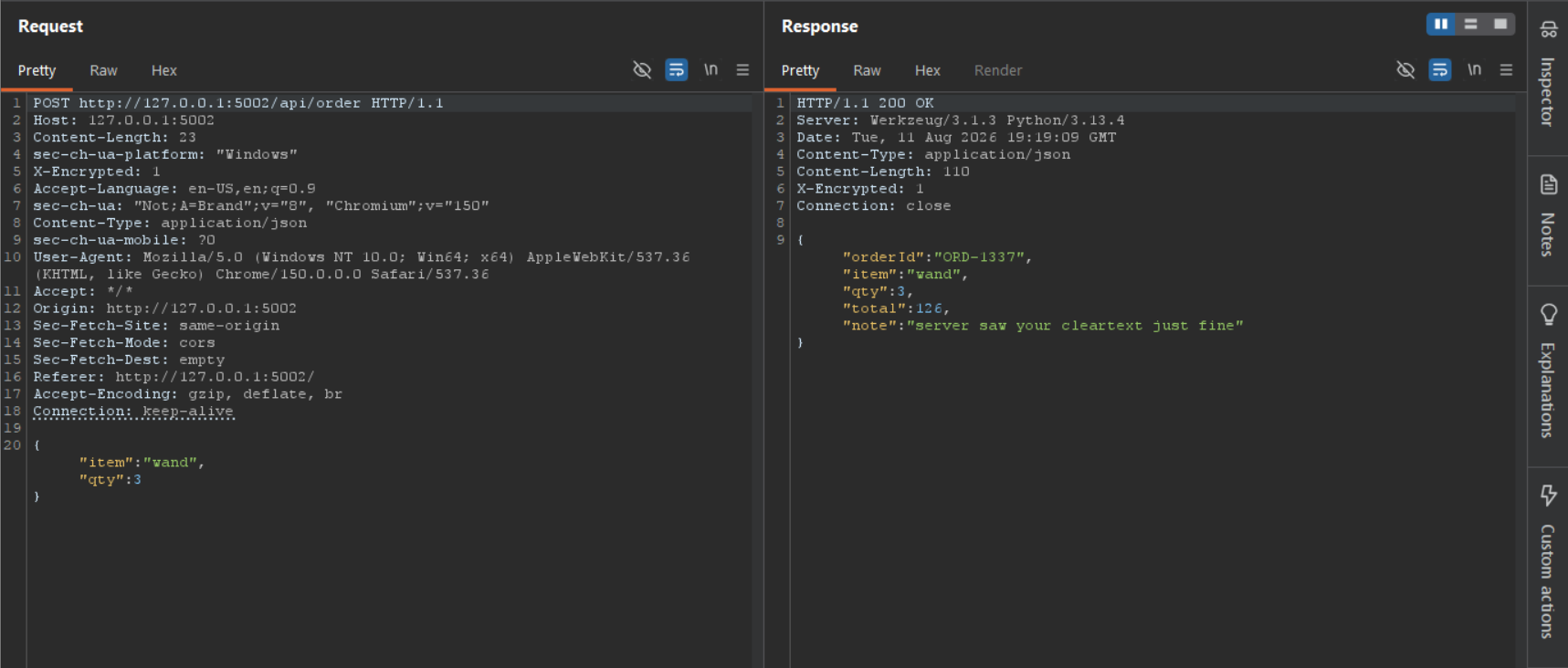
With the chain up, both the request and the response land in Burp as plain JSON, fully readable and tamperable.
Wrapping up
Burp is where you tamper. It was never meant to be where you untangle the machinery around a request. So when that machinery gets in the way, tokens that die on a timer, crypto someone rolled themselves, signatures over the body, you don’t fight Burp, you flank it. A dozen lines of mitmproxy on each side, and hostile traffic becomes something you can read, break, and put back.